
Numberblocks Generator controls, menus, and large-value checks
What we verified
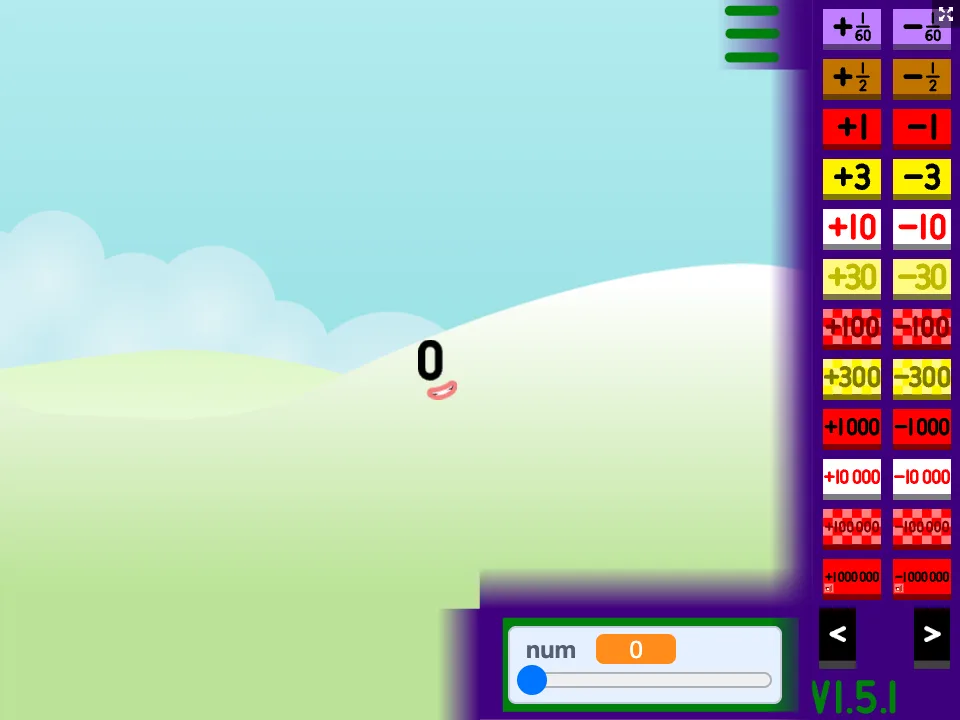
- The hosted game reached a landscape scene with the displayed value set to 0.
- The three-bars control opened positive and negative jump buttons plus a slider.
- Selecting +100 produced a large red 100 block and updated the value display.
Start with one visible change
Our test began at 0. Opening the three-bars menu exposed several ways to move the current value, so the easiest orientation step is to make one small jump and confirm that both the block and numeric display change together.
After the controls are clear, a large jump is easier to interpret. We selected +100 and captured the resulting red 100 block; this provides a reproducible check that the menu input reached the scene.
Use jumps and the slider for different jobs
Increment buttons are useful when the visual transition matters. The slider is better when the target is a range rather than the next adjacent value.
A common failure mode is changing several controls before the scene finishes updating. Make one change, verify the value, then continue. This is especially important after a cold load.
Know what this test did not prove
We verified startup, menu opening, and the +100 result. We did not treat every listed mode or every extremely large value as verified behavior.
The package is larger than the other hosted games and can take longer to show the landscape on a cold load. If the frame appears idle, allow the scene to finish before pressing more controls.
Quick checklist
- Wait for the starting value and landscape to appear.
- Open the three-bars menu and make one small change first.
- Confirm the displayed value after each large jump.
- Avoid stacking inputs while the scene is still updating.