Multiplication Game: answer entry, clearing, and score checks
What we verified
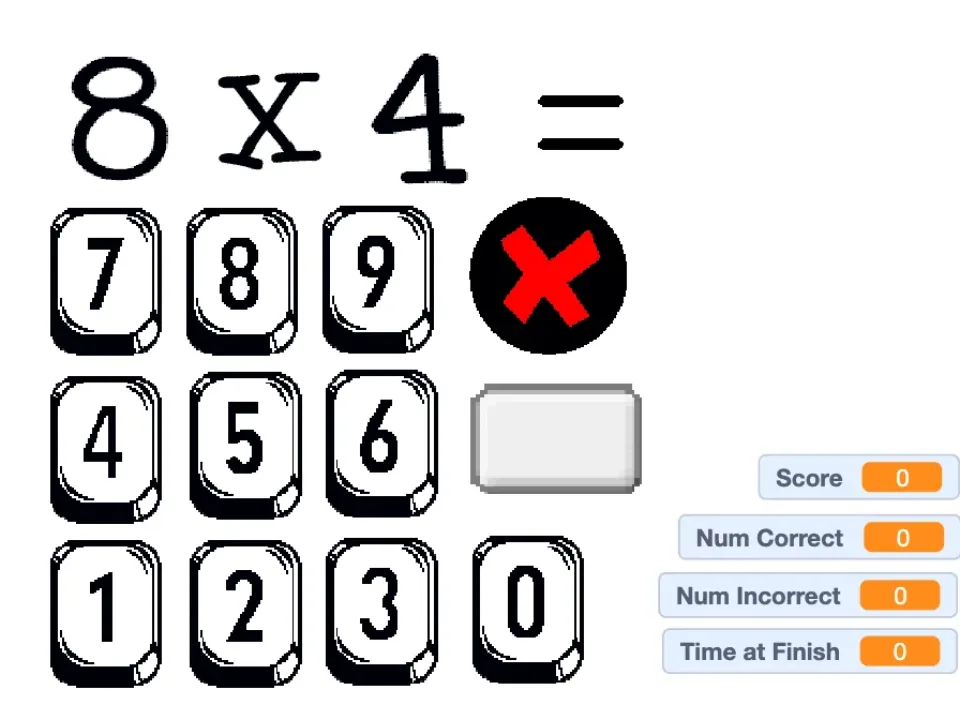
- The captured round displayed 8 × 4 above an on-screen numeric keypad.
- The black X cleared input and the gray rectangular control submitted it.
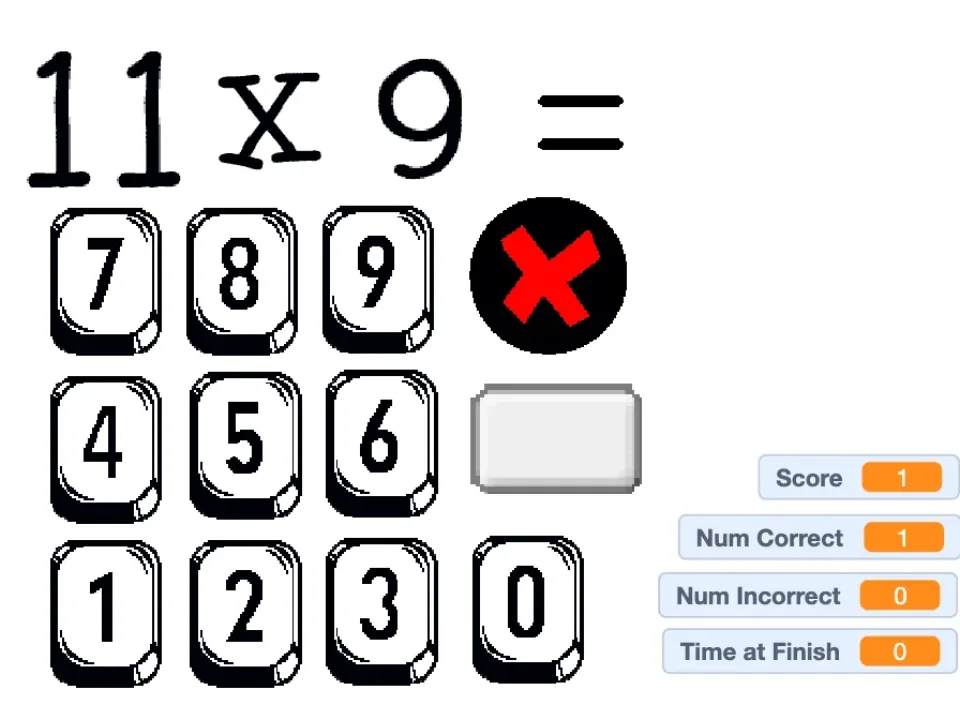
- Submitting 32 increased Score and Num Correct from 0 to 1 before the next question.
Read the interface before racing the score
The tested round showed the problem above a large number pad, with Score and Num Correct on the left. Those counters provide a direct way to check whether a submission was accepted.
The captured question was 8 × 4. We entered 32 and used the gray submit control; both counters changed to 1. That visible state change is more reliable than assuming any tap on the keypad completed the answer.
Recover from a wrong digit before submitting
The black X is the correction path. Use it before the gray submit button when the displayed entry is wrong.
A frequent failure is treating the gray rectangle as another digit or pressing it before checking the complete answer. Read the entered number once, then submit.
Use it as recall practice, not a full lesson
The tested screen gives a prompt, keypad, and score feedback, but it does not explain multiplication with groups or arrays. It works best after the underlying idea is already understood.
Stop and review when a fact is repeatedly missed. Chasing a score without identifying the difficult factor pair adds speed but little useful feedback.
Quick checklist
- Read both factors before touching the keypad.
- Check the entered number before submitting.
- Use the black X to clear a mistaken entry.
- Confirm that Score and Num Correct change after a valid response.