
Counting Squares
Count the squares on screen and press the matching number in a focused visual counting game.
Tested by NumBlocksGen
What we reproduced
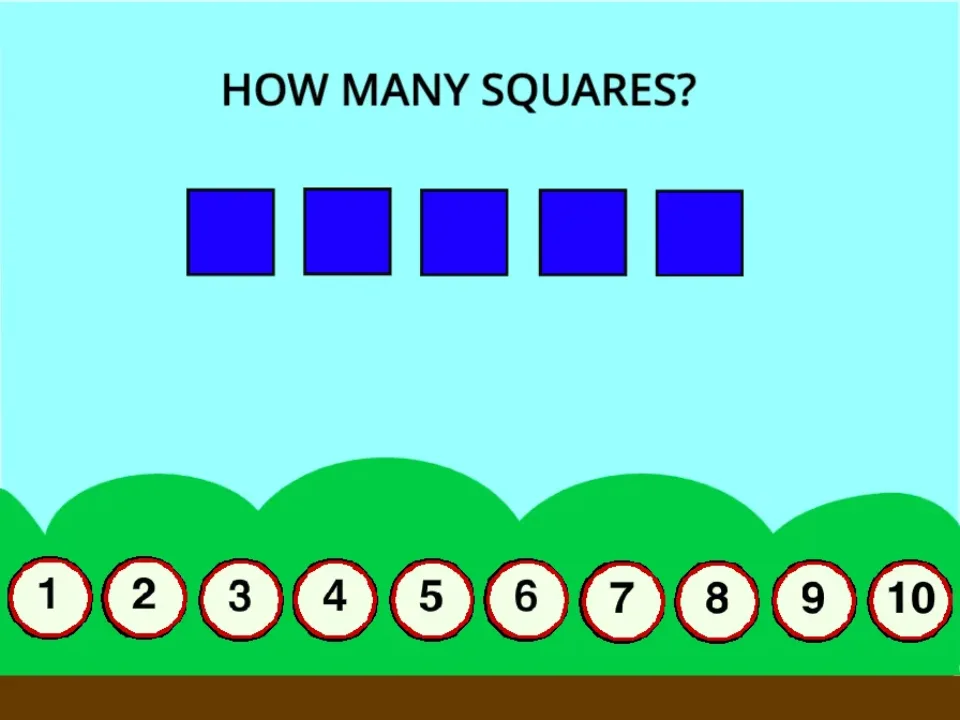
- The captured round displayed five blue squares beneath a single counting prompt.
- Ten numbered answer buttons stayed visible across the bottom of the board.
- The game moved directly into the counting task without extra menus, timers, or unrelated controls.
Known limitation: The activity is intentionally narrow and does not provide progress history or a broader sequence of counting lessons.
Scratch project by Mittensbrother. View the original Scratch project Packaged with TurboWarp Packager and credited to the original Scratch creator.
Original project title: Preschool Counting Game by Mittensbrother on Scratch. Permission reference NBG-RIGHTS-011 is recorded as owner confirmed and was reviewed 2026-07-17.
The original project asks how many squares are on screen and uses numbered buttons for the response. NumBlocksGen displays it as Counting Squares while retaining the original title in this credit record.
Editor's Guide
Counting Squares is a focused visual counting activity. It asks the player to look at a small set of squares, count them, and choose the matching number. There are no extra rules competing for attention.
The tested five-square round supports a repeatable sequence: scan in one direction, point once per square, say the total, and then choose an answer.
- Introductory counting practice
- Counting visible objects
- Short guided sessions
The game supports matching a set of visible objects to a number response and practicing a consistent counting order.
- Explaining the count improves the value
- It is intentionally simple
- The game does not store progress history
Why this game is worth playing
- The square-counting prompt is concrete and easy to explain.
- Answer buttons connect a spoken count with a visible number choice.
- Short rounds keep attention on counting instead of on game management.
How to play
- Click the green flag in the game frame.
- Count how many squares are visible.
- Press the answer button that matches your count.
- Try the next round with a fresh set of squares.
Tips before you play
- Encourage one-to-one counting by pointing at each square once.
- If the player guesses, slow down and count the objects together before pressing a button.
- Stop after a few correct rounds while the activity still feels positive.
Counting Squares FAQ
What does Counting Squares ask the player to do?
The game asks the player to count the squares on screen and press the matching numbered answer button.
What appeared in the tested round?
The captured round displayed five blue squares and answer buttons numbered from 1 through 10.
How can I avoid guessing?
Scan in one direction, point to each square once, say the total, and only then press the matching answer.